



A WordPress site rarely breaks because of a single mistake. Most issues come from small decisions that stack up over time.
One of the most overlooked areas is how theme design quietly shapes plugin performance.
It sounds subtle, but it is not. The theme you pick, customize, or overload can either support your plugins or slowly choke them.
Many site owners focus only on features and visuals, while the real story unfolds behind the scenes.
And that is where things start getting interesting.
Why Does Theme Design Affect Plugin Performance More Than Expected?
At a basic level, plugins and themes are supposed to work together. But in reality, they often compete for resources, scripts, and control over the layout.
A poorly optimized theme loads unnecessary scripts, styles, and animations.
Each extra file increases load time, and every delay impacts plugin performance directly. Now imagine running multiple plugins on top of that.
Things begin to stack up fast.
The hidden relationship between themes and plugins
Themes control structure. Plugins extend functionality. Sounds clean, right?
In practice, themes often override styles, enqueue scripts aggressively, and inject features that duplicate plugin logic. This creates conflicts, redundant processes, and heavier page loads.
Let’s break this into real scenarios.
1. Overloaded themes slow everything down
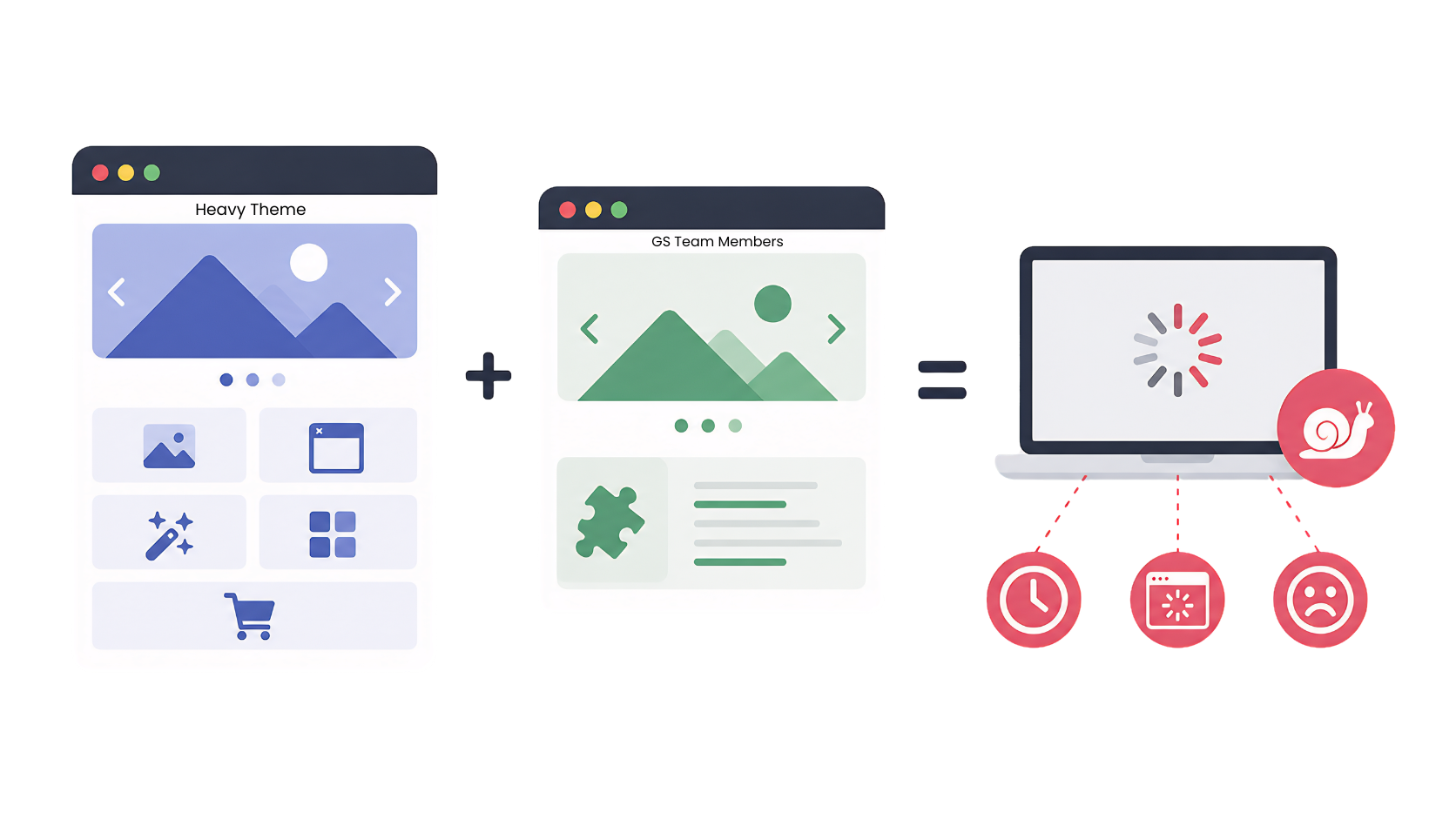
Many premium themes try to do everything. Sliders, popups, animations, portfolios, and even eCommerce features come bundled.
Now, if you install a dedicated plugin for the same purpose, you are essentially running two systems at once. That duplication hurts plugin performance in ways that are not always obvious.
A WooCommerce store using a heavy theme plus a product slider plugin often loads double scripts. The result is slower interaction, delayed rendering, and poor user experience.
2. Poor CSS structure creates rendering delays
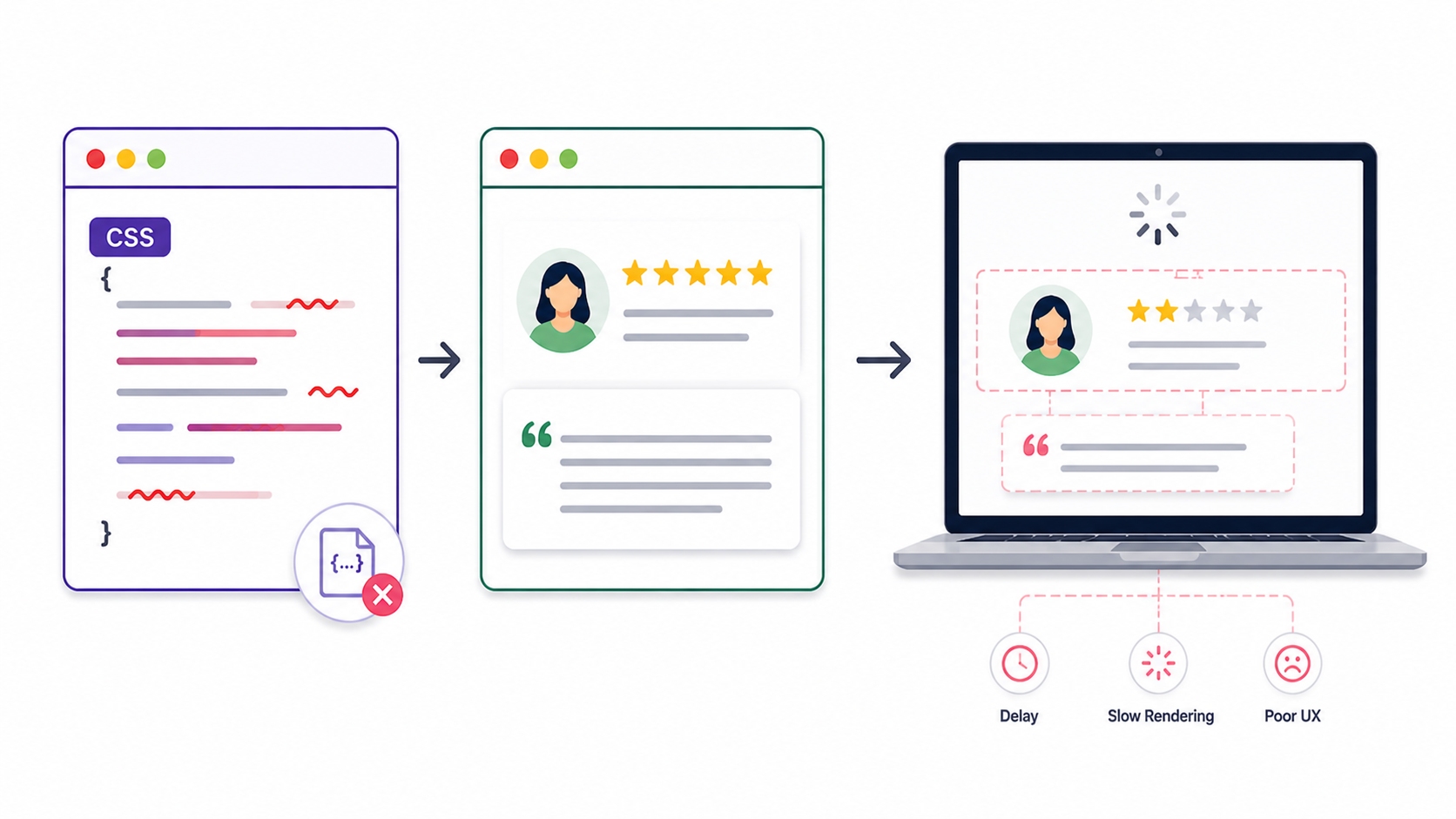
Themes with messy or oversized CSS files force browsers to work harder. This delays visual rendering and blocks plugin elements from appearing on time.
For example, a testimonial plugin from GS Plugins might load perfectly. But if the theme has conflicting styles, the layout breaks or loads late.
Users notice the delay, not the technical cause.
3. JavaScript conflicts break functionality
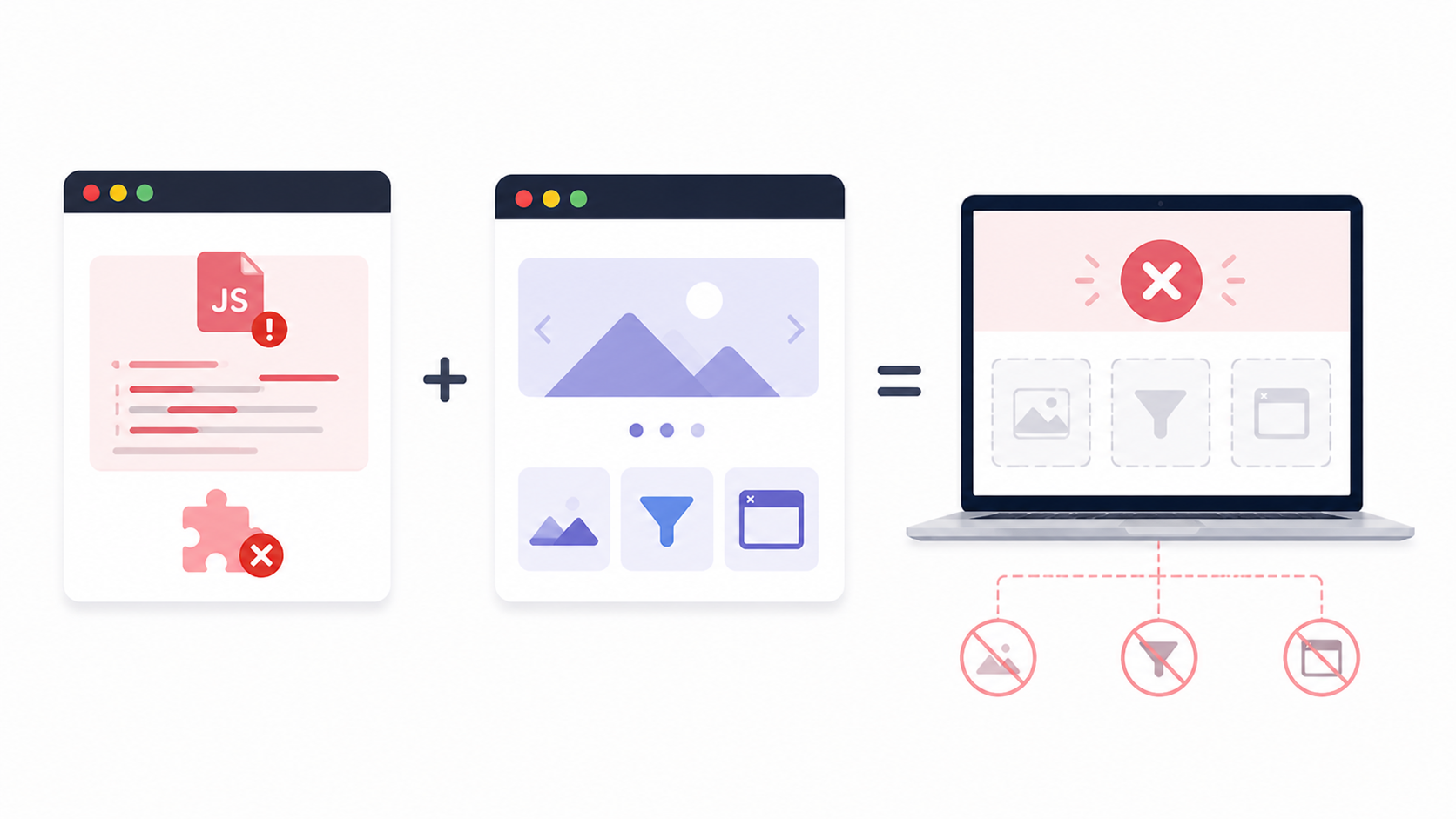
This one is more frustrating than slow speed.
Some themes load outdated or conflicting JavaScript libraries. Plugins rely on stable environments to function properly. When conflicts happen, features like sliders, filters, or popups stop working.
You may blame the plugin, but the theme is often the real culprit.
Real-world case: A WooCommerce store struggling silently
A small online store selling handmade products had a clean design. Traffic was decent, but conversions stayed flat.
They were using a feature-rich theme with built-in sliders and animations. On top of that, they installed a WooCommerce product slider plugin to highlight featured items.
Here is what happened next:
- Page load time increased by nearly 2 seconds
- Slider interactions felt laggy on mobile devices
- Bounce rate increased gradually over a few weeks
After switching to a lightweight theme and keeping the plugin, plugin performance improved noticeably. The same slider became smoother, faster, and more engaging.
No plugin change. Just theme optimization.
The common mistakes most users ignore
Using themes with too many built-in features: More features do not mean better performance. It often means more conflicts.
Ignoring script loading behavior: Themes that load scripts globally instead of conditionally waste resources. This behavior directly impacts plugin performance.
Not testing plugin compatibility before choosing a theme: Many users install plugins after finalizing the theme. This approach often leads to mismatches.
How to choose a theme that supports Plugin Performance
You do not need a perfect theme. You need a smart one.
Look for lightweight frameworks: Themes built with performance in mind avoid unnecessary features. They give plugins room to operate efficiently.
Check script and style loading practices: A good theme loads only what is needed. Nothing extra, nothing forced.
Test with your core plugins before committing: If you rely on WooCommerce or GS Plugins, test them early. This saves hours of debugging later.
A quick look at GS Coach Plugin in this context
The GS Coach Plugin is a prime example of structured plugin design done right.
It focuses on displaying coach profiles in clean layouts like grids, sliders, or popups. The plugin itself is optimized and avoids heavy resource usage.
Now imagine using it with a bloated theme.
You may see layout shifts, delayed loading, or broken styling. But when used with a well-structured theme, everything aligns perfectly.
Profiles load faster. Interactions feel smooth. The experience feels intentional.
That is not magic. That is the result of balanced plugin performance.
Practical steps to improve Plugin Performance through theme design
Audit your current theme: Check how many scripts and styles it loads. Tools like browser dev tools help here.
Remove duplicate features: If your theme has sliders, disable them before using a plugin alternative.
Use performance-focused themes: Themes built for speed create a better environment for plugins to operate.
Test on mobile devices: Many theme issues appear only on smaller screens. Always verify mobile behavior.
The bigger picture most people miss
Plugin performance is not just about the plugin itself.
It is a shared responsibility between the theme, the hosting environment, and user decisions. Ignoring theme design is like optimizing one part of a machine while neglecting the rest.
Everything is connected.
FAQs
Can a theme alone slow down Plugin Performance?
Yes, a heavy theme can load extra scripts and styles. This directly impacts plugin performance and page speed.
How do I test if my theme is causing plugin issues?
Switch temporarily to a default theme like Twenty Twenty-Four. Compare performance and behavior with your plugins.
Are lightweight themes always better for plugin performance?
In most cases, yes. Lightweight themes reduce conflicts and allow plugins to function more efficiently.
Do GS Plugins work with all WordPress themes?
GS Plugins follow WordPress standards, so they work with most themes. Performance depends on how optimized the theme is.
Should I avoid themes with built-in features?
Not always, but avoid using duplicate features alongside plugins. This helps maintain stable plugin performance.
Conclusion
Theme design quietly shapes how your plugins behave, load, and interact. It is not always visible, but it is always present.
If your plugins feel slow or inconsistent, do not rush to replace them. Take a closer look at your theme first.
A cleaner, smarter theme can unlock better plugin performance without changing a single plugin.
Occasionally, the fix is not adding more tools. It is removing the friction you did not notice before.





