



There is a fundamental shift happening in how customers expect to interact with online stores, and it is moving away from a passive browsing and selecting experience toward something more active and participatory.
Customers increasingly want to feel like they had a hand in what they are buying rather than simply choosing from what a store decided to package for them.
Flexible product boxes sit right at the center of that shift.
They are not a new concept; the idea of building your own bundle has existed in retail for decades, but the ability to implement it properly on an e-commerce store without significant custom development is relatively recent, and the stores that are doing it well are seeing results that go well beyond a simple average order value bump.
This blog covers what flexible WooCommerce mix and match products actually are, why they change customer behavior in the ways they do, what makes a good implementation, and how WooCommerce stores can get them working properly.
What Flexible Product Boxes Actually Are
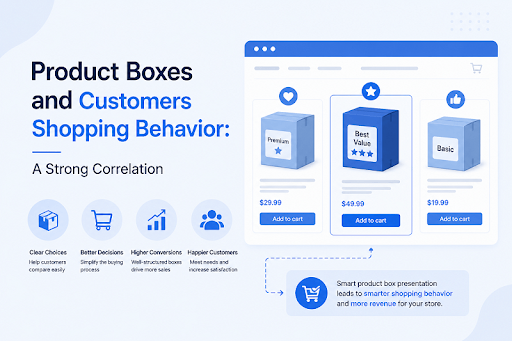
A flexible product box is a purchasable container that the customer fills rather than the store filling it for them.
The store defines the rules around the box, what products can go inside it, how many items it can hold, how it is priced, and what restrictions apply, and the customer makes the selections within those parameters.
This is meaningfully different from a fixed product bundle where the store decides the contents and the customer accepts or rejects the whole thing.
It is also different from simply allowing customers to add multiple items to a cart.
The box format creates a defined, purposeful structure around the selection process that changes both how customers think about what they are buying and how they engage with the available products.
Common formats this takes in practice:
- A snack or food store offering a build-your-own gift hamper where customers pick from available products to fill a defined box
- A skincare or beauty store offering a custom routine kit where customers select the products that match their specific needs
- A stationery or craft store letting customers build a custom supply pack from a curated selection
- A corporate gifting business allowing buyers to assemble custom gift sets for recipients
- A supplement or wellness store offering a personalized supplement bundle based on individual health goals
What these have in common is that the customer is an active participant in building what they are buying, and that participation fundamentally changes the relationship between the customer and the product before they have even completed the purchase.
Why Customer Behavior Changes When Given This Kind of Control
The behavioral shift that happens when customers can build their own box rather than selecting from pre-built options is well-documented.
In consumer psychology research, and what we have observed in practice aligns closely with what the research predicts.
The IKEA Effect
There is a well-studied phenomenon in behavioral economics often called the IKEA effect, where people assign significantly higher value to things they have had a hand in creating or assembling.
When a customer builds a product box themselves, selecting each item deliberately, they feel a sense of ownership over the result before they have even paid for it.
That ownership increases both the perceived value of the purchase and the likelihood that the customer will be satisfied with it when it arrives.
Reduced Decision Fatigue Through Structure
Counter-intuitively, giving customers a structured selection process within defined parameters often reduces decision fatigue rather than increasing it.
A completely open catalogue with hundreds of products to choose from is overwhelming.
A product box with thirty curated options organized within a clear structure that the customer is filling toward a defined goal is engaging rather than overwhelming.
Higher Pre-Purchase Investment
A customer who has spent several minutes selecting items and building a box has invested considerably more cognitive effort in that purchase than one who added a pre-built bundle to their cart in thirty seconds.
That investment makes them less likely to abandon the process and more certain about the purchase when they complete it.
The Gift Factor
For purchases intended as gifts, the ability to build a custom box rather than selecting a pre-packaged option addresses a specific anxiety that gift buyers have, which is whether the recipient will actually want everything in a pre-determined set.
Building the box themselves allows gift buyers to apply their knowledge of the recipient's preferences in a way that a fixed bundle cannot accommodate.
What Separates a Good Product Box Implementation From a Poor One
Not all product box implementations produce the results above, and the difference between a solid WooCommerce mix-and-match products experience and a confusing one comes down to a handful of specific decisions.
Curation of available products
A box that exposes the entire product catalogue to the customer is not a curated experience; it is just a cart with a different interface.
The products available within any given box should be thoughtfully selected to create a coherent and purposeful selection context.
Customers building a breakfast box should be choosing from breakfast-relevant products. Customers building a self-care kit should choose from products that make sense together as a self-care routine.
Clear visual presentation
The layout and visual presentation of products within the box significantly affect how engaged customers are with the selection process.
Products that are visually distinct and clearly differentiated make the selection feel like browsing a curated collection.
A poorly presented list of product names with no imagery makes it feel like filling out a form.
Appropriate pricing structure
The pricing model needs to feel fair and logical to the customer. A fixed price for the box works well when the available products have similar individual values.
Per-item pricing works well when customers want to understand exactly what they are paying for.
The pricing structure that creates confusion or feels arbitrary undermines the positive engagement the box format should produce.
Sensible quantity and filling rules
Rules around minimum quantities, maximum items, and whether partial boxes can be checked out need to balance the store's operational needs with the customer's experience.
Rules that are too restrictive create friction. Rules that are too loose create operational complexity for the store.
Implementing WooCommerce Custom Product Boxes
For WooCommerce stores, the most practical way to implement flexible product boxes is through a dedicated plugin that handles the box creation, product selection rules, pricing logic, and checkout flow without requiring custom development.
The Custom Mix and Match Product Boxes and Bundles plugin by Extendons is one of the more complete solutions available for custom product boxes, and it covers the full range of what a properly implemented box experience needs.
Getting started with installation:
- Download the plugin ZIP file from your WooCommerce dashboard
- Go to Plugins > Add New > Upload Plugin in your WordPress admin
- Select the ZIP file and click Install Now
- Click Activate Plugin once installation completes
- Navigate to WooCommerce > Settings where the Custom Boxes tab appears
Global settings to configure first:
- Layout Style: Choose between Detailed, which shows product descriptions, and Compressed, which shows a more minimal product display
- View Style: Select Grid or List layout for products within the box
- Add to Cart Text: Customize the button label
- Background and Primary Colors: Match the box display to the store's visual identity
- Image Placeholder: Upload a placeholder image for empty box slots so the layout looks intentional before the customer starts selecting
Creating a product box:
- Go to WooCommerce > Products > Add New
- In the Product Data dropdown select Custom Product Boxes
- The Product Boxes tab appears in the product data navigation
- Work through the settings in that tab as covered below
Configuring the Box: Key Settings Worth Understanding
Pricing Structure
The pricing type decision is one of the most commercially significant choices in the whole configuration:
- Fixed Pricing: A set price for the box regardless of what goes inside. Works well when the available products have similar individual values, and a clear value proposition at a specific price point is the goal
- Per Item Price with Base Price: Charges individual product prices plus a base box fee. Most transparent for customers who want to understand exactly what they are paying for
- Per Item Price without Base Price: Charges only the sum of selected products. Works well as a conversion tool for price-conscious customers hesitant about paying a premium for the bundle format
Quantity and Filling Rules
- Box Quantity: The maximum number of items the box can hold
- Enable Per Product Limit: Restricts how many of the same product can be added, preventing customers from filling the entire box with one item
- Allow Partially Filled Boxes: Enables checkout without filling the box completely. What we noticed is that removing the pressure of a fully filled box meaningfully reduces abandonment on the product page
- Minimum Quantity for Partial Checkout: Set the minimum number of items required before checkout is permitted when partial boxes are allowed
- Enable Add New Box: Allows customers to start a second box after filling the first, which is important for bulk buyers and gift purchasers building multiple boxes
Product Selection
- Add products individually by searching the catalogue or pull in entire product categories automatically
- For stores with large catalogues, the category approach is considerably more efficient and updates automatically when new products are added to those categories
Pre-Filled Items
The pre-fill feature allows selected products to appear in the box by default when a customer opens it:
- Mandatory pre-filled items stay in the box regardless of what the customer does. Use these for anchor products that define what the box is
- Optional pre-filled items appear as suggestions that the customer can remove. These reduce the blank canvas effect and give customers a starting point to react to
Featured Products
Pinning specific products to the top of the available selection within the box increases their visibility and selection rate. This is useful for:
- High margin products worth promoting within the bundle context
- New product launches that benefit from prominent placement
- Seasonal or promotional items
Bundle Discounts
- Enable Box Discount: Activates discount functionality
- Show Box Discount Widget: Displays savings information in real time as customers add items.
What we observed is that making savings visible during selection shifts the customer's frame from spending to saving, which encourages fuller boxes - Apply fixed or percentage discounts to specific products within the box
User Role Restrictions
Specific boxes can be made visible only to certain customer roles:
- Wholesale-only boxes that retail customers never see
- Membership tier exclusive bundles
- B2B specific configurations with different product selections from the retail offering
Picking the Right Layout Option
The plugin offers six distinct layout options and the choice between them has a genuine effect on how customers engage with the product selection:
- Compressed Grid: Clean and fast to scan. Best for boxes with many available products where full descriptions would create an overwhelming wall of content
- Compressed List: The most minimal presentation. Works well for repeat customers who know the products and want to select quickly
- Detailed Grid: Shows images, names, and descriptions. Best for boxes where product differentiation matters and customers benefit from reading about each option before choosing
- Detailed List: The list version of the detailed layout. Often works better on mobile where grid layouts can feel cramped
- Product Layout Grid: The most visually led option. Works particularly well for gift-oriented boxes where product appeal is part of the selling point
- Product Layout List: A visual list format that balances imagery and information
The right layout depends on the nature of the products in the box and the typical customer browsing behavior.
Testing different layouts and observing which produces more complete box fills before checkout is worth doing once the initial setup is live.
Which Store Benefits Most From Mix and Match Product Boxes?
WooCommerce mix and match products are not a universal feature that every store needs equally.
They suit specific business models considerably more than others:
Strong fits:
- Food and beverage retailers where variety selection is part of the purchasing appeal
- Gift and occasion stores where customization adds meaningful value over pre-packed alternatives
- Health, beauty, and wellness stores where personal preference varies too much for standard bundles
- Corporate gifting businesses where buyers need control over what goes into each gift
- Subscription box businesses offering a customizable tier alongside standard options
- Craft and hobby supply stores where customers need specific combinations of materials
Weaker fits:
- Stores selling highly standardized products where variation in contents does not add value
- Stores with very small catalogues where the selection within a box would feel too limited to justify the format
- Businesses where the production process requires fixed combinations regardless of customer preference
Don’t Go Live Just Yet!
Before making WooCommerce custom product boxes live for customers, a few things are worth verifying:
- The placeholder image looks intentional for empty box slots. An empty box with no placeholder looks unfinished and confuses customers about the format
- The partial checkout minimum is set at a level that prevents impractically small orders without requiring customers to fill the box completely
- The pricing calculation is accurate across different product combinations, including edge cases at the minimum and maximum fill levels
- The mobile experience works properly because grid layouts can feel cramped on smaller screens and may need to be switched to list view for mobile-heavy audiences
- The featured products are positioned correctly for the commercial goals of the box
- The discount widget appears and updates correctly as products are added and removed
In Summary…
Flexible product boxes change the way customers shop online because they change the customer's role from passive selector to active creator, and that shift in agency has real and measurable effects on engagement, satisfaction, and commercial outcomes.
The WooCommerce mix-and-match products approach works not because it is a clever sales tactic but because it aligns more closely with how customers actually want to interact with products they care about.
When the implementation is thoughtful, the product selection is curated, the pricing is logical, and the rules around filling the box feel fair rather than restrictive, the result is a shopping experience that customers genuinely enjoy, and that produces better outcomes for the store at the same time.
For WooCommerce stores where the product type and customer base are a good fit, getting WooCommerce custom product boxes properly configured is one of the more impactful changes that can be made to how the store sells and how customers feel about shopping on it.





