
Running a WordPress store well takes more than a solid product lineup. What actually keeps things moving is the layer of tools handling the behind-the-scenes work — the compliance checks, the order paperwork, the customer nudges, the catalog updates. Get that layer right and everything else feels lighter.
If you're putting together or refreshing your plugin stack this year, here are twelve picks worth serious consideration.
They're listed in a different order than you'll find in most roundups — starting from catalog management and working toward compliance — so you can think about them from the operational side first.
1. Product Import Export for WooCommerce
If your store has more than a few dozen products, manual catalog management gets old fast.
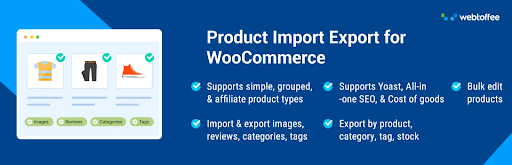
This product import export for WooCommerce plugin lets you pull product data in and push it out using CSV, XML, Excel, or TSV — whichever format fits your workflow.
This product import export plugin handles everything in a product entry: variations, attributes, categories, images, and all the associated metadata.
You can filter exports by SKU, stock level, price range, featured status, creation date, or description field, so you're never stuck exporting a 5,000-row file when you only needed 200 rows.
Scheduled imports and exports over FTP/SFTP keep recurring tasks running without manual effort.
If you're migrating from another platform or syncing inventory with a supplier regularly, this one earns its place quickly.
2. Site Reviews

Shoppers read reviews before they buy. That's not changing anytime soon. Site Reviews gives you a structured way to collect, manage, and display those reviews without losing control of what ends up on your pages.
You can pin your best feedback so it shows up at the top, set submissions to require approval before going live, and restrict who's allowed to leave a review — logged-in users only, for example.
There's a verification option that helps you confirm whether a review ties back to a real purchase, which matters for credibility.
You'll get notifications when new reviews come in, you can reply to them directly, and you have full say over how and where they appear across the site. It's a clean setup for stores that want their social proof to feel genuine and well-managed.
3. WooCommerce Smart Coupons
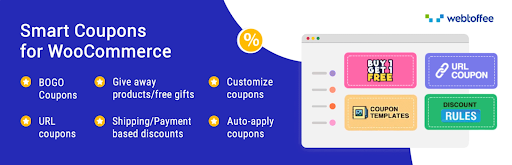
Besides, moving beyond the rudimentary discounting offered by WooCommerce, this WooCommerce coupon generator plugin gives you all-in-one promotion options that vary from discounts on purchase percentage-based discount codes to Buy One Get One offers, gift certificate and store credits all managed via one dashboard.
The extent of control over coupon use offered by the plugin is quite substantial and includes coupon limitation for particular products, categories or roles, batch coupon creation for running promotions and creating preset coupons so that your customers would get their discount codes at once.
Besides, there is an option to streamline marketing efforts using loyalty rewards, abandoned cart recovery, and sales order increase using automated coupon codes.
Moreover, there is a free version of this advanced coupons plugin, which can be downloaded from WordPress.org, and it offers a range of standard coupon types and Buy One Get One offers, besides giving out coupons in exchange for customer information.
4. Fluent Forms
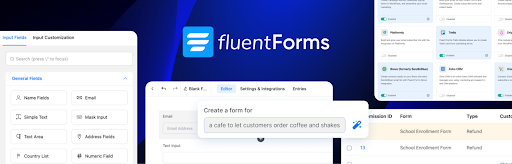
Whether you're collecting support requests, gathering customer feedback, running a registration for a sale event, or building a lead form, Fluent Forms handles it through a drag-and-drop editor that actually works the way you'd expect.
Conditional logic lets you show or hide fields based on what a user has already entered, so forms adapt to the person filling them out.
There's also a conversational form mode that walks visitors through questions one at a time — less intimidating than a long static form. An AI form creator can generate a starting layout that you then shape into something specific.
Beyond those, you get a library of templates, a wide variety of input field types, and controls for formatting and validation. For stores that need to capture different kinds of customer information in different contexts, it's a flexible foundation.
5. All in One SEO
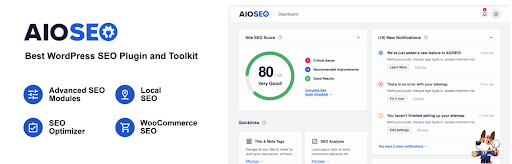
Getting traffic from search doesn't require you to become an SEO expert, but it does require the right tools.
All in One SEO puts the most important controls in one place — meta titles and descriptions, indexing rules, content structure, and schema markup — without requiring you to dig into technical settings.
It auto-generates XML sitemaps to help search engines find your pages faster. The internal linking suggestions make it easier to connect related content across your site.
Built-in audit tools flag areas that might be dragging down your rankings, and keyword position tracking shows you how your pages are performing over time.
There's also local SEO support for businesses that depend on location-based searches, direct integration with Google Search Console, and monitoring for changes to your SEO settings.
It's a solid all-around option for stores that want to be findable without spending hours on configuration.
6. User Import Export for WooCommerce
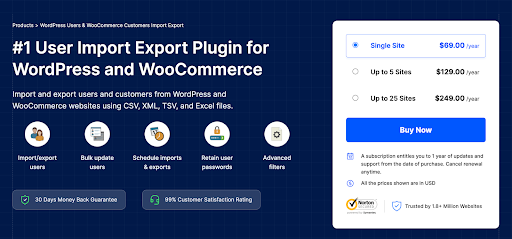
Customer data gets complicated when you're managing accounts at scale — wholesale tiers, membership groups, platform migrations, segment restructuring.
This User Import Export for WooCommerce plugin brings bulk user management under control through CSV, XML, Excel, and TSV file imports and exports.
In this user import plugin, you can transfer complete customer profiles: billing and shipping addresses, account metadata, user roles, and custom fields.
That completeness matters when you're moving data between systems, because partial transfers create gaps that are annoying to track down.
Whether you're onboarding a wholesale customer list, consolidating data from multiple stores, or rebuilding your customer segments after a rebrand, it handles the heavy lifting while keeping the data intact.
7. Accessibility Tool Kit

Accessibility often gets pushed to the bottom of the priority list, but it affects a meaningful share of your visitors — and increasingly, it's tied to legal standards that store owners can't afford to ignore.
WebYes Accessibility Toolkit helps you close some of those gaps without writing a line of code.
The plugin aligns with WCAG 2.1, ADA, and EAA standards and applies accessibility-friendly configurations across your WordPress and WooCommerce site.
A companion Chrome extension flags common issues like missing alt text, low contrast ratios, and keyboard navigation problems.
These tools don't guarantee full legal compliance, but they're a meaningful step toward a more inclusive experience and better accessibility practices overall.
8. eCommerce Marketing Automation App
Keeping customers engaged after they've visited your store is one of the harder parts of running an online business.
This eCommerce marketing automation app for WooCommerce builds out that engagement layer — collecting subscribers, sending timely messages, and bringing people back when they drift away.
New signups get a welcome email that introduces them to your brand straight away. Customers who leave without buying get a cart recovery sequence with an incentive like a discount or free shipping offer.
Targeted prompts during browsing sessions surface deals to people who are already engaged and more likely to respond.
In this Marketing automation plugin, you can build out ongoing email sequences for different audience segments, set up follow-up campaigns after purchases, and send timely reminders when you have something worth sharing.
It's a steady way to stay in front of your customers without doing it manually every time.
9. CartFlows
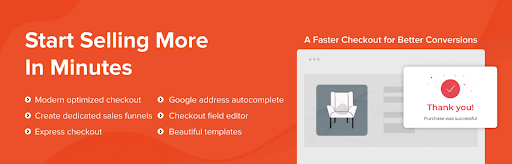
A well-designed checkout experience can make the difference between a completed order and an abandoned one. CartFlows gives you the tools to build that experience intentionally, starting with focused checkout pages that cut out unnecessary distractions.
You can add order bumps, upsells, and downsells that appear based on what a customer is buying — relevant offers at the right moment rather than a generic popup.
It integrates with Elementor, Spectra, Bricks, and Beaver Builder, so you build within whatever page editor you're already using. Post-purchase, automated workflows handle follow-up messaging and lead management.
The analytics panel tracks revenue, conversions, and visitor behavior at each funnel stage, so you can see exactly where things work and where they don't.
10. WooCommerce PDF Invoices and Packing Slips
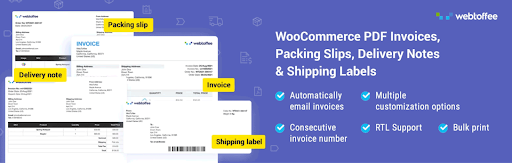
Every order should come with proper documentation — for the customer's records, for your accounting, and for the warehouse team packing the shipment.
This PDF invoices & packing slips for WooCommerce plugin takes care of that automatically, attaching the right documents to the right order emails without requiring any manual steps.
You get PDF invoices, packing slips, and credit notes generated automatically. The templates are adjustable so you can bring in your branding, tax details, and any other information your store needs to include.
It supports UBL and XML invoices for e-invoicing requirements in certain markets. Customers can download their documents from the account page anytime — no need to contact support.
Packing slips and credit notes come in clean, readable formats that make the fulfillment side of things easier to manage.
11. Web and App Notifications by PushEngage
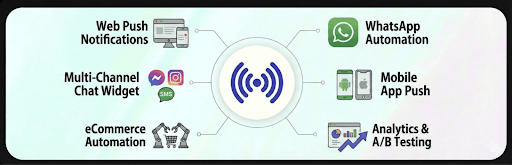
Getting a customer to visit your store once is only half the job. Bringing them back is the part most stores underinvest in.
PushEngage helps bridge that gap through multiple channels — push notifications, chat widgets, and WhatsApp automations — keeping your store in front of people even after they've left the tab.
Visitors can subscribe through simple opt-in prompts and then receive alerts about new products, price drops, or items they looked at earlier.
WhatsApp automations handle abandoned cart messages, order confirmations, and promotional sends with minimal setup.
Order status updates go out automatically for WooCommerce orders, so customers stay informed from purchase to delivery.
You can run push campaigns, track how each one performs, and measure the revenue they generate. It's a practical way to stay connected without building out a complicated stack.
12. GDPR Cookie Consent Plugin
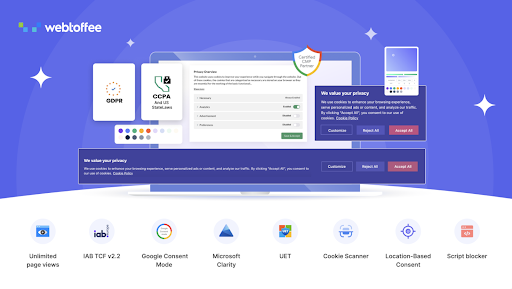
Privacy compliance isn't optional for stores that serve visitors from the EU, UK, California, or a growing list of other regions with data protection rules.
This Cookie consent plugin gives you a straightforward way to present cookie preferences and manage consent without creating friction for your visitors.
It supports Google Consent Mode v2 and blocks third-party scripts until a visitor has confirmed their preferences.
GeoIP controls let you show the cookie banner only to visitors from specific regions, so you're not pestering everyone with consent prompts that don't apply to them.
A built-in scanner detects the cookies on your site and groups them by purpose, giving visitors a clear picture of what they're agreeing to.
Additional WordPress consent plugin features allow you to log consent records with category details and timestamps for audit purposes.
It also handles consent management for Microsoft Clarity v2 and UET, covering more of your privacy bases in one place.
Wrapping Up
A well-chosen plugin stack doesn't just make life easier for you — it makes the whole store work better for the people using it.
The tools above cover the parts of store management that tend to create the most friction when they're missing: catalog control, customer trust, engagement, compliance, and everything in between.
You don't need all twelve at once. Start with the areas where your store feels the most strain within your eCommerce niche, get those right, and build from there.
The goal is a store that runs steadily, handles growth without breaking, and gives customers a good reason to come back.