Imagine you’ve just finished a massive project – a website redesign, a stunning photography collection, or a series of killer illustrations. You’re brimming with pride and ready to show the world your work! But, how do you showcase your talents in a way that’s both impressive and professional? Well, hold on to your creative hat, because Joomla portfolio extensions are here to help!
This guide explores the top 7 in 2024. We’ll compare extensions with stunning visuals to showcase your projects. Easy-to-use interfaces ensure a smooth setup. Powerful features give you complete control. Craft a showstopping portfolio that screams professionalism. Land those dream clients! Turn website visitors into fans. Let’s get started!
7 Best Joomla Portfolio Extensions: At a Glance
| Extension | Key Features | Pros | Cons | Pricing |
|---|---|---|---|---|
| JUX Portfolio | Striking layouts, Lightboxes with social buttons, Drag-and-drop management | Visually appealing, Easy to use, Unlimited projects | Paid, Learning curve | $17.99 |
| JMZ Portfolio | Easy setup, Filtered items with animations, Categorized projects | Simple setup, User-friendly, Responsive design | Limited multimedia (Free), Fewer design options | Paid - $39 (12 Months Support & Update) |
| TZ Portfolio | Open-source, Addon system, Multilingual support | Cost-effective, Customizable, Diverse audience | Technical knowledge needed, Slower updates | Free Trial - Free |
| Advanced Portfolio Pro | Clean & responsive design, Multi-level categories, SEO optimization | Professional look, Powerful organization, Improved search ranking | Paid, Steeper learning curve | $19.99 |
| Responsive Pixel Portfolio | 3D navigation transitions, Category filtering, Click counter analytics | Dynamic visuals, Flexible usage, Tracks viewer interaction | Paid, Potential setup complexity | 12.8 USD |
| Advanced Portfolio by ExtStore | Multi-level categories, Rich project details, Tag filtering (Pro) | Free & Joomla 3 friendly, Basic features, Good foundation | Limited features (Free), Simpler interface | Free Trial - Free |
| SP Simple Portfolio | Media-rich focus, Animated filtering, Multiple layouts | Free & user-friendly, Easy image/video showcase, Clean presentation | Limited customization, Fewer advanced features | Free Trial - Free |
7 Best Joomla Portfolio Extensions: In-Depth

Crafted a killer portfolio but need a dazzling website to display it? Let’s explore the top Joomla portfolio extensions. This guide unveils pros, cons, features & pricing to help you pick the perfect match.
1. JUX Portfolio: A Visually Striking Showcase
JUX Portfolio isn’t just about displaying your work; it’s about creating a captivating experience for viewers. With a variety of grid, classical, and text layouts, you can tailor the presentation to perfectly suit your projects.
Packed with features like lightboxes for detailed views, hover effects, and responsive design, JUX Portfolio ensures your portfolio looks stunning and functions flawlessly on any device. Whether you’re a photographer, designer, or creative professional, JUX Portfolio empowers you to showcase your best work in a way that’s both informative and visually arresting.
Key Features:
- Grid, Classical, and Text Layouts: Showcase your work in various styles to suit your project.
- Lightbox with Image & Video Support: Display detailed views of images and videos with social buttons and descriptions.
- Hover Effects: Enhance user experience with different hover effects for your portfolio items.
- Fully Responsive Design: Ensures your portfolio looks great on all devices (desktops, tablets, smartphones).
- Unlimited Items: Create as many portfolio entries as you need.
- Drag & Drop Backend Management: Easily control and organize your portfolio content.
- Category Filtering: Allow viewers to filter your portfolio by categories for easier navigation.
- Multiple Thumbnail Types: Choose from different thumbnail styles to best represent your work.
- Support for Multiple Languages: Cater to a wider audience by displaying your portfolio in various languages.
- SEO Friendly: Improve search engine ranking with features like title tags and descriptions.
| Pros | Cons |
|---|---|
| Striking layouts (grid, classic, text) | Paid extension |
| Lightboxes with social buttons | Learning curve |
| User-friendly hover effects | Limited free features |
| Looks great on all devices | |
| Unlimited projects | |
| Easy drag & drop management |
Pricing:
| Plan | Price |
|---|---|
| Paid | $17.99 |
2. JMZ Portfolio: Simple Setup, Powerful Impact

Don’t let the ease of use fool you; JMZ Portfolio packs a punch. Perfect for those new to Joomla extensions, JMZ Portfolio offers an intuitive interface for creating and customizing your portfolio. With features like filtered items with cool jQuery animations, categorized projects, and responsive design, it ensures your portfolio is both user-friendly and visually engaging.
JMZ Portfolio also provides access control options for added security and lets you personalize the color scheme to match your brand identity. Overall, JMZ Portfolio proves that creating a professional and dynamic portfolio doesn’t have to be complex.
Key Features:
- Easy to Use & Customize: Create and personalize your portfolio without needing coding experience.
- Filtered Items with jQuery Animations: Add a dynamic touch to your portfolio with animated filtering options.
- Categorized Portfolio Items: Organize your work into categories for better structure.
- Font Awesome Icon Support: Integrate popular Font Awesome icons for a visually appealing presentation.
- Responsive Portfolio Module: Ensures your portfolio adapts seamlessly to any device screen size.
- Order Portfolio Categories & Items: Control the order in which your categories and portfolio items appear.
- Access Level Control: Restrict portfolio visibility to specific user groups for added control.
- Customizable Color Schemes: Tailor your portfolio’s color scheme to match your brand identity.
- Modal Preview for Portfolio Details: Provide viewers with a dedicated popup window for detailed information about each portfolio item.
- Multiple Versions with Feature Updates: Access various versions with ongoing improvements and new features.
| Pros | Cons |
|---|---|
| Easy to create and customize portfolio | Limited multimedia |
| Organized browsing with animations | Fewer design options |
| Well-structured presentation | Basic free version |
| Seamless viewing on all devices | |
| Match your brand identity | |
| Manage who sees specific entries |
Pricing:
| Plan | Price |
|---|---|
| Paid | $39 (12 Months Support & Update) |
3. TZ Portfolio: Open-Source Powerhouse for Creatives
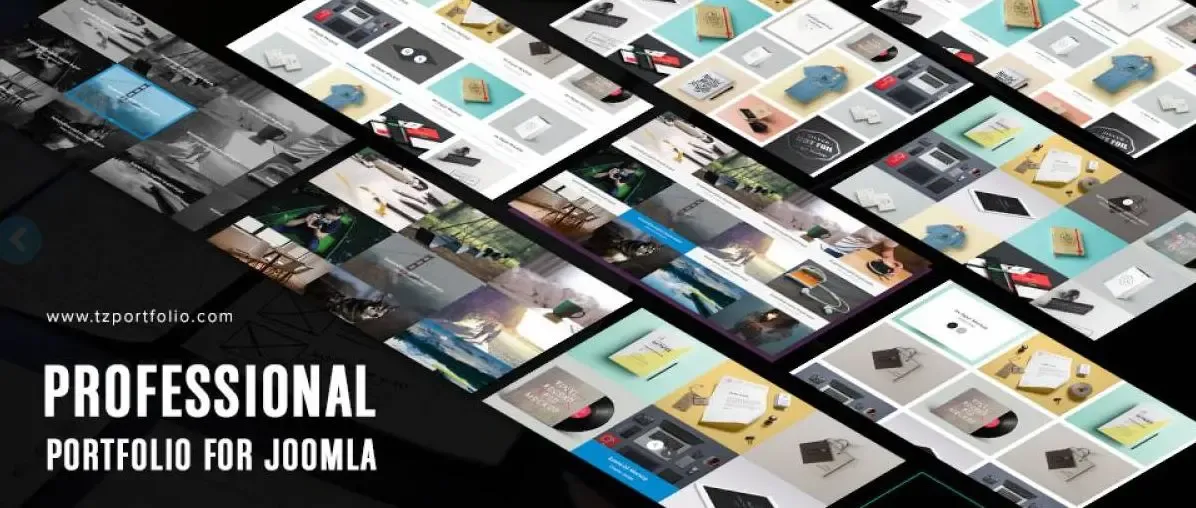
If you’re a budget-conscious Joomla user who prioritizes customization, look no further than TZ Portfolio. This open-source extension offers a robust foundation for building your portfolio, complete with a free template library. The addon system empowers you to expand functionalities to meet your specific needs, while features like custom fields and multilingual support cater to diverse audiences.
Furthermore, TZ Portfolio offers advanced filtering options and watermark protection for ultimate control over your portfolio’s content and presentation. For those who enjoy tinkering and building their portfolio exactly how they envision it, TZ Portfolio offers a powerful and versatile open-source solution.
Key Features:
- Open-Source Portfolio Extension: Offers a free and customizable solution for creating your portfolio.
- Addon System: Expand functionalities with various add-ons to match your specific needs.
- Template Library: Access a collection of free and downloadable portfolio templates.
- Custom Fields: Allow article authors to assign additional information to categories or posts.
- Multilingual Support: Create your portfolio in different languages for a global audience.
- Responsive Design: Ensures a smooth user experience across all devices.
- ACL (Access Control List) Manager: Control user access levels for features and options within your portfolio.
- Multi-Level Category Filtering: Offer viewers a refined browsing experience with advanced category filtering.
- Advanced Search: Enable visitors to search your portfolio content with more specific criteria.
- Watermark Protection: Safeguard your images with custom watermarks (text or image) to prevent unauthorized use.
| Pros | Cons |
|---|---|
| Cost-effective, customizable solution | Technical knowledge needed |
| Extend functionalities to your needs | Limited support |
| Downloadable portfolio templates | Slower updates |
| Create a portfolio in different languages | |
| Refined browsing with multi-level categories | |
| Safeguard images from unauthorized use |
Pricing:
| Plan | Price |
|---|---|
| Free Trial | Free |
4. Advanced Portfolio Pro: A Feature-Rich Powerhouse for Professionals

Advanced Portfolio Pro caters to those who demand the most from their Joomla portfolio extension. It offers a clean and responsive design to showcase your work flawlessly across devices. Advanced Portfolio Pro excels in project management, allowing you to create detailed entries with comprehensive multimedia support, tagging, and filtering options.
Whether you want to showcase videos alongside images, link projects to external websites, or control the order in which they appear, Advanced Portfolio Pro provides the tools and flexibility needed to build a truly professional portfolio. If you have a significant amount of work to showcase and require a feature-rich solution for optimal presentation, Advanced Portfolio Pro is a top contender.
Key Features:
- Clean & Responsive Design: Offers a professional and mobile-friendly presentation for your portfolio.
- Multiple Category/Subcategory Management: Organize your projects with a hierarchical structure for easy navigation.
- Project Management with Details: Create detailed project entries with thumbnails, image galleries, videos, and descriptions.
- Tag Filtering: Enable viewers to filter projects by unlimited tags assigned to each entry.
- Easy File Uploads: Manage and upload multiple images and files with dedicated folders.
- Video Support: Integrate videos from YouTube, Vimeo, or other supported platforms.
- Project URLs & Launch Buttons: Link each project to external websites or display them within a larger project page.
- Customizable Project Display: Control the number of projects per page and choose the number of columns for grid layouts.
- Project Order Options: Showcase your projects in various orders (latest, oldest, alphabetical, etc.).
- SEO Optimization: Improve your portfolio’s search engine ranking with features like clean code and image performance.
| Pros | Cons |
|---|---|
| Professional look on all devices | Paid extension |
| Organize projects for easy navigation | Steeper learning curve |
| Include everything about your projects | Limited free features |
| Allow specific project browsing with tags | |
| Improve portfolio search engine ranking | |
| Showcase projects in the desired order |
Pricing:
| Plan | Price |
|---|---|
| Paid | $19.99 |
5. Responsive Pixel Portfolio: Dynamic Eye Candy for Your Work
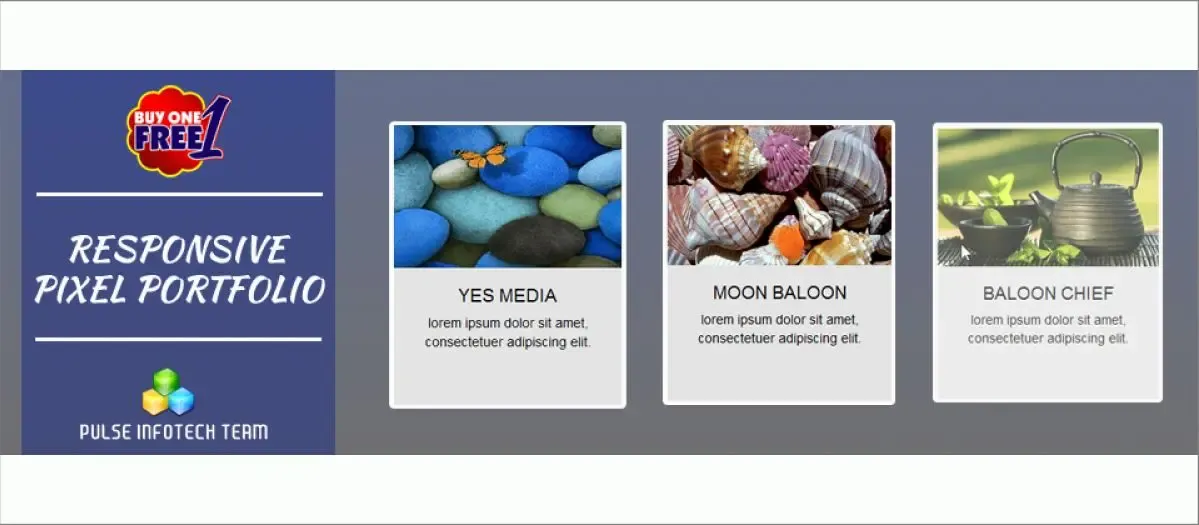
Responsive Pixel Portfolio isn’t your average portfolio extension. It goes beyond functionality with a focus on dynamic visuals. This extension boasts a responsive design that adapts flawlessly to any screen size, ensuring your portfolio always looks its best. Responsive Pixel Portfolio shines with features like eye-catching 3D navigation transitions for a unique user experience.
Don’t be fooled by the focus on aesthetics; it also offers category filtering, click counter analytics and a multipurpose design that extends beyond portfolios to team introductions, timelines, and photography showcases. With its dynamic presentation and flexibility, Responsive Pixel Portfolio lets your work stand out from the crowd.
Key Features:
- Responsive Design: Guarantees your portfolio adapts perfectly to desktops, tablets, and smartphones.
- Dynamic Portfolio Options: Provides control over various aspects of your portfolio’s presentation in the backend.
- Eye-Catching Effects: Features default grid view with 3D navigation transitions for a visually appealing experience.
- Category Filtering: Allows visitors to filter projects based on pre-defined categories.
- Click Counter: Tracks visitor interaction by recording the number of clicks on specific projects.
- Multipurpose Usage: Can be used to showcase portfolios, team members, photographs, or timelines.
- 2-in-1 Package: Includes both a component and a module for flexible portfolio integration within your website.
- Dynamic Module Option: Enables displaying portfolio content directly within Joomla content areas or project descriptions.
- Search Plugin Support: Integrates with Joomla search plugins for improved content findability.
- SEO Considerations: Factors in SEO elements to enhance your portfolio’s visibility in search engine results.
| Pros | Cons |
|---|---|
| Eye-catching 3D navigation transitions | Focus on visuals |
| Adapts perfectly to any screen size | Limited free features |
| Allow browsing by project categories | Potential setup complexity |
| Track viewer interaction on projects | |
| Showcase teams, and timelines, not just portfolios | |
| Works with Joomla content areas and descriptions |
Pricing:
| Plan | Price |
|---|---|
| Paid | 12.8 USD |
6. Advanced Portfolio by ExtStore: Powerful Simplicity for Joomla 3
Looking for a robust portfolio solution specifically designed for Joomla 3? Look no further than Advanced Portfolio by ExtStore. This free extension packs a punch, allowing you to create detailed project entries with images, videos, descriptions, and category organization. It offers a multi-level category structure for a well-organized portfolio and lets you filter projects by tags for targeted browsing.
While the core functionality excels in simplicity, the Pro version unlocks advanced features like filter by category/tags, project highlighting, and customizable overlay effects. Whether you need a free and user-friendly solution or crave additional customization options, Advanced Portfolio by ExtStore offers a scalable solution for your Joomla 3 portfolio needs.
Key Features:
- Free & Joomla 3.x Native: Offers a cost-effective solution built specifically for Joomla 3 websites.
- Multi-Level Category Management: Organize projects with nested categories and subcategories for better structure.
- Project Creation with Multimedia: Create detailed project entries with thumbnails, image galleries, videos, and descriptions.
- Tag-Based Filtering: Allows viewers to filter projects based on assigned tags for targeted browsing.
- Bulk File Uploads: Save time by uploading multiple images and files at once to designated folders.
- Video Integration from Various Sources: Embed videos from Youtube, Vimeo, Metacafe, Daily Motion, or Twitvid.
- Filter by Categories or Tags (Pro Version): Provides advanced filtering options in the paid version for more precise browsing.
- Featured Project Highlighting (Pro Version): Showcase specific projects with a larger and more prominent display.
- Customizable Overlay Effects (Pro Version): Personalize the look and feel of the hover overlay with color options, button styles, and content visibility settings.
- Watermark Protection (Pro Version): Add text or image watermarks to your thumbnails and images for copyright protection.
| Pros | Cons |
|---|---|
| Cost-effective solution for Joomla 3 websites | Limited features |
| Organize projects with nested categories | Pro version needed |
| Include thumbnails, videos, descriptions | The interface might feel basic |
| Tag filtering (Pro version offers more) | |
| Save time uploading multiple files | |
| Video integration (Pro version offers more options) |
Pricing:
| Plan | Price |
|---|---|
| Free Trial | Free |
7. SP Simple Portfolio: Effortless Elegance for Creatives
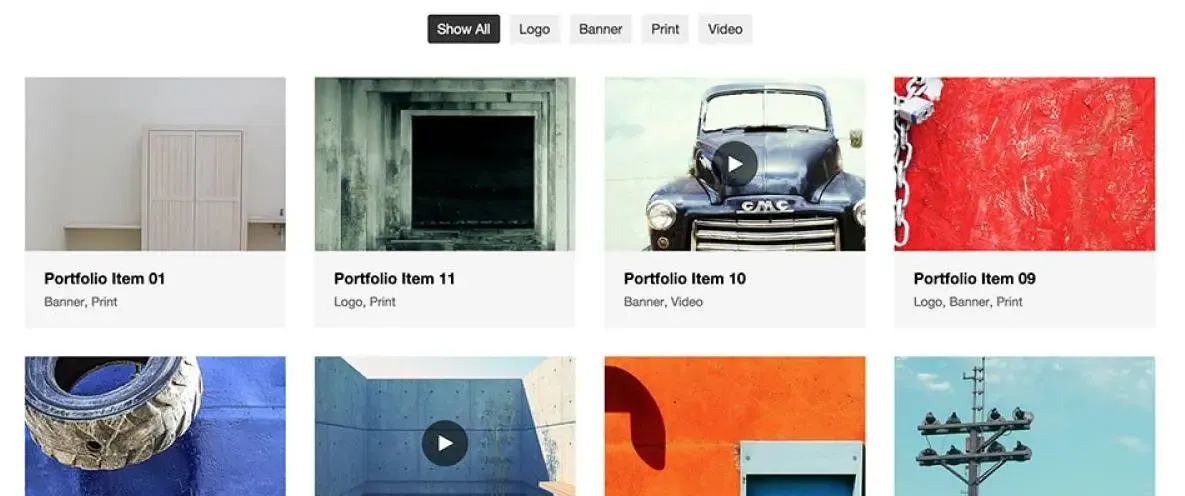
SP Simple Portfolio lives up to its name. Don’t be fooled by its ease of use, though. This free extension is perfect for creatives like photographers, artists, and designers who want to showcase their work with elegance and efficiency. SP Simple Portfolio focuses on media-rich portfolios, allowing you to easily add stunning images and videos.
Whether you choose the default layout, gallery with space, or gallery without space layout, your work will be presented in a clean and user-friendly way. Additional highlights include project details, tag-based organization, and responsive design. With its straightforward approach and focus on aesthetics, SP Simple Portfolio empowers you to create a beautiful and functional portfolio without any hassle.
Key Features:
- Free & Easy to Use: Provides a no-cost solution with a user-friendly interface for creating portfolios.
- Media Portfolio Functionality: Focuses on showcasing image and video content for photographers, artists, designers, and others.
- Filterable Portfolio: This enables viewers to filter portfolio items with animation effects for an engaging experience.
- Multiple Layouts: Choose from default, gallery with space, or gallery without space layouts to best represent your work.
- Project Details: Add details to each project, including thumbnails, full-size images, titles, descriptions, URLs, and more.
- Tag-Based Organization: Leverage the existing Joomla tag system for project categorization.
- Responsive Design: Guarantees your portfolio displays seamlessly on various devices.
- Multiple Item Columns: Control the number of items displayed per row in your portfolio layout (2, 3, or 4 columns).
- Video Link Support: Include video content by embedding links from Youtube or Vimeo.
- Multilingual Support: Translate your portfolio content into different languages to reach a global audience.
| Pros | Cons |
|---|---|
| Cost-effective solution with easy setup | Limited customization |
| Perfect for showcasing images and videos | Primarily image/video focus |
| Engage viewers with filter animations | Fewer advanced features |
| Choose from default, gallery with/without space | |
| Add titles, descriptions, URLs to each project | |
| Translate portfolio content for a wider audience |
Pricing:
| Plan | Price |
|---|---|
| Free Trial | Free |
Choosing the Right Joomla Portfolio Extension: Your Perfect Match
Still confused about which Joomla portfolio extension is the perfect fit for you? This quick overview summarizes the key features of each option to help you find your match:
Looking for stunning visuals and a user-friendly experience?
- JUX Portfolio: Boasts striking layouts, engaging details, and easy drag-and-drop management.
- Responsive Pixel Portfolio: Offers eye-catching 3D transitions and a focus on visual impact.
Need a cost-effective solution with customization options?
- TZ Portfolio: Free and open-source, with add-ons available to extend functionalities and a free template library.
- SP Simple Portfolio: Free and user-friendly, perfect for showcasing media with animated filtering and multiple layouts.
Prioritizing budget with a focus on Joomla 3 compatibility?
- Advanced Portfolio by ExtStore: Free and Joomla 3 friendly, offers basic features with upgrade options for advanced filtering and customization.
Desire a clean, professional design with powerful organization tools?
- JMZ Portfolio: Easy setup with cool filtered items, categorized projects, and responsive design.
- Advanced Portfolio Pro: Offers a clean & responsive design, multi-level categories, rich project details, and SEO optimization.
Select the one that best complements your creative vision and showcases your work in the most impactful way!