
Social media is no longer optional for WordPress site owners. But “social media plugin” can mean very different things depending on what you actually need.
Do you want WordPress to automatically push new posts to your Facebook page, Instagram, and LinkedIn profile? Do you want to show a live Instagram wall on your homepage? Do you need social login to reduce friction at user registration? Or do you want to show potential customers that real people are buying and signing up?
These are different jobs. And they need different types of plugins.
This guide covers 10 carefully selected WordPress social media plugins across five categories: auto-posting and scheduling, social sharing buttons, social proof and trust, social login, and social community or aggregation. The list is intentionally focused. We kept it to 10 so each pick is actionable, not just a name on a long list.
Quick Comparison Table
| # | Plugin | Category | Best for | Starting Price |
|---|---|---|---|---|
| 1 | FS Poster | Auto-posting / scheduling | WordPress publishers, bloggers, and WooCommerce stores automating distribution to 26 networks | $58/year |
| 2 | WP to Buffer | Auto-posting via Buffer | Buffer users connecting WordPress publishing to their Buffer queue | Free (Buffer plan required) |
| 3 | Simple Social Buttons | Social sharing buttons | Bloggers and small business sites that need clean share buttons without a heavy setup | Free / Pro available |
| 4 | WP Social | Social login, sharing, and counters | Sites that want social login, share buttons, and social counter features in one plugin | Free / Pro available |
| 5 | Nextend Social Login | Social login | Membership sites and WooCommerce stores reducing registration friction | Free / $49/year Pro |
| 6 | NotificationX | Social proof notifications | WooCommerce stores displaying real-time trust signals and subscriber counts | Free / $29/year Pro |
| 7 | TrustPulse | FOMO / social activity proof | E-commerce and lead gen sites boosting conversions with live activity signals | $5/month |
| 8 | Tagembed | Social wall aggregator | Brand and event sites pulling content from multiple social networks into one display | Free / $19/month |
| 9 | BuddyPress | Community / social network | Sites building an owned member community independent of external platforms | Free |
| 10 | EmbedSocial | UGC + review aggregation | Local businesses and e-commerce stores displaying live reviews and UGC | $29/month |
1. FS Poster — Best WordPress Auto-Posting Plugin
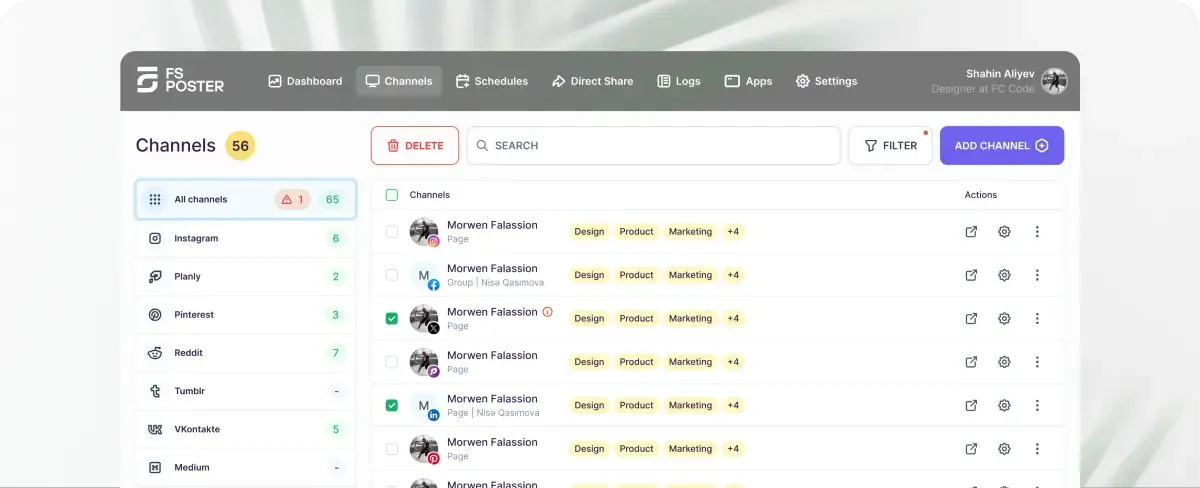
Best for: WordPress publishers, bloggers, content teams, and WooCommerce stores that want to automatically share content to multiple social networks from one dashboard.
FS Poster is a premium WordPress Social Media Auto-posting and scheduling plugin with over 8 years in the market and 25,000+ paid customers worldwide. When you publish or update a WordPress post, FS Poster sends it to your connected accounts across 26 social networks, including Facebook, Instagram, LinkedIn, X/Twitter, Pinterest, TikTok, Threads, Bluesky, Reddit, Telegram, YouTube Shorts, YouTube Community, and more. Everything runs from inside WordPress with no third-party cloud subscription required.
The plugin allows unlimited social account connections per site. You can schedule posts in advance, configure posting intervals, write custom messages per network, and manage your entire queue from a built-in scheduling calendar. For WooCommerce stores, FS Poster automatically shares product pages when they go live or when stock changes. Custom post type support means the plugin works across any WordPress content structure, not just standard blog posts.
If you are already running a content-heavy WordPress site, pairing FS Poster with a solid content marketing strategy and WordPress automation plugins keeps your distribution pipeline fully hands-free.
Key features:
- Auto-posting and manual scheduling to 26 social networks
- Unlimited social account connections
- Built-in scheduling calendar for full queue visibility
- Custom message, image, and template per social network
- Instagram carousel scheduling
- First-comment feature for X/Twitter, Instagram, and Reddit
- WooCommerce and custom post type support
- Scheduling planner and interval controls
- Proxy support for agency and multi-site setups
- Webhook integration for additional networks beyond the native list
- Selective posting by post category, tag, or post type
Pricing: Single-site plan: $58/year (intro), renews $65/year. Lifetime license is also available.
Pros:
- Very broad social network coverage in the auto-posting category, with 26 networks supported
- WooCommerce auto-posting is built in, not an add-on
- Custom post type support works with any WordPress content structure
- Scheduling calendar keeps your entire queue visible at a glance
- Webhook support extends reach to platforms beyond the official network list
- 8+ years of active development and a customer base of 25,000+ paid users
- Strong documentation and a responsive support team
Cons / limitations:
- WordPress-only: cannot be used outside a WordPress install
- No built-in analytics for tracking post performance across networks
- Initial API key setup for each network requires time and attention, especially for Instagram and TikTok
Verdict: FS Poster is the strongest auto-posting plugin for WordPress in 2026. With 26 supported networks, deep WooCommerce integration, a built-in scheduling calendar, and a track record built over 8+ years, it covers every distribution need a WordPress publisher is likely to have. For any WordPress site that publishes regularly, this is the plugin to start with.
2. WP to Buffer — Best for Buffer-Native WordPress Scheduling
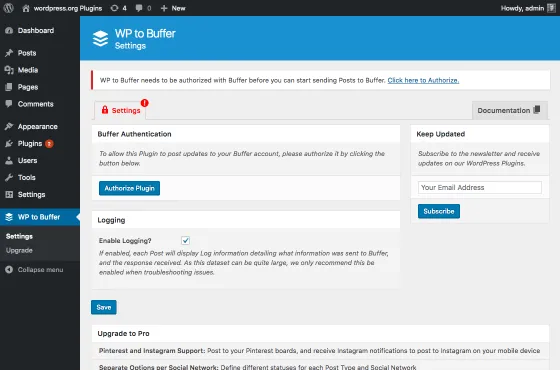
Best for: WordPress users and teams that already use Buffer to manage their social media and want their WordPress publishing workflow connected directly to Buffer’s scheduling queue.
WP to Buffer is a free WordPress plugin that bridges WordPress and Buffer. When you publish or update a post, the plugin sends it straight into your Buffer scheduling queue. From there, Buffer handles the scheduling and distribution to your connected social accounts.
This is not a standalone auto-posting plugin. It is a connector. If Buffer is already your social media hub, WP to Buffer eliminates the manual step of copying content from WordPress into Buffer’s composer every time you publish.
The plugin adds a meta box to the WordPress post editor where you can choose which Buffer profiles to queue the post to, customize the message text, and toggle auto-queuing on or off per post.
Note: WP to Buffer requires a Buffer account. Buffer’s free plan covers up to three channels with a limited queue. Paid Buffer plans start at $6 per channel per month and unlock larger queues, analytics, and team collaboration.
Key features:
- Direct WordPress-to-Buffer queue integration
- Works with posts, pages, and custom post types
- Per-post message customization before queuing
- Choose specific Buffer profiles per post
- Trigger on publish, update, or both
- Lightweight: no scripts added to the front end
- Compatible with the Gutenberg block editor
Pricing: WP to Buffer plugin itself is free on WordPress.org. A Buffer account is required. Buffer Free plan ($0) covers 3 channels. Buffer Essentials starts at $6/channel/month billed annually.
Pros:
- Zero cost for the plugin: no upsell or premium tier
- Clean, simple integration with no configuration overhead if you already use Buffer
- Works with Buffer’s full channel roster (Facebook, Instagram, LinkedIn, X, Pinterest, TikTok, and more)
- Solid update history and active maintenance on WordPress.org
Cons / limitations:
- Adds no value if you are not already a Buffer user
- Scheduling power is limited by your Buffer plan tier
- Buffer’s per-channel pricing can add up quickly for sites with many active social profiles
- No native WordPress analytics: you use Buffer’s dashboard for reporting
Verdict: WP to Buffer is the right pick if Buffer is already your scheduling tool. It saves time and avoids double work. For anyone starting fresh without a Buffer account, FS Poster is the better starting point: it is self-contained and requires no external subscription.
3. Simple Social Buttons — Best Simple Sharing Button Plugin
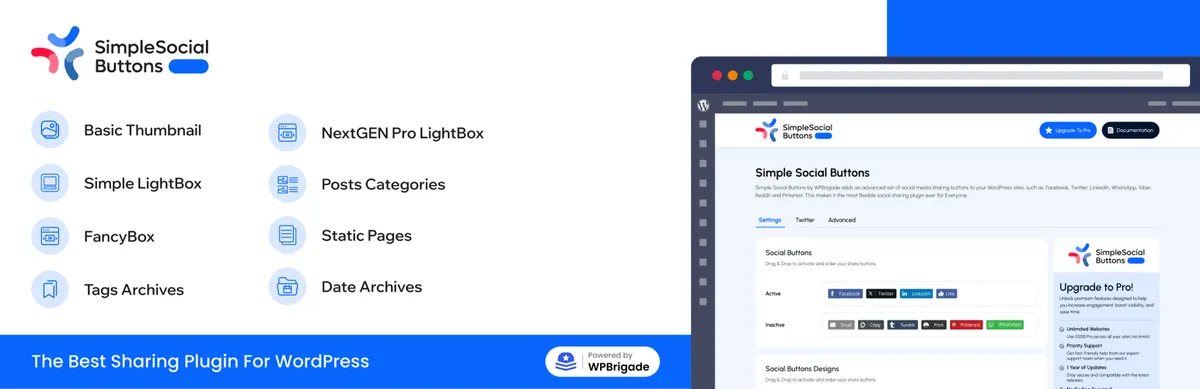
Best for: Bloggers, small business sites, and content publishers that want clear social sharing buttons without a complicated setup.
Simple Social Buttons is a WordPress social sharing plugin focused on one practical job: helping visitors share your pages and posts. It supports popular networks such as Facebook, WhatsApp, X/Twitter, Reddit, LinkedIn, Pinterest, and others. The plugin can place buttons above content, below content, in a sidebar, on media, or inside popups depending on how visible you want the sharing prompt to be.
Its main advantage is simplicity. You do not need a full social media suite if your goal is only to make articles easier to share. For blogs, local business sites, and small editorial websites, that focused approach can be enough.
The plugin also gives basic control over button style, placement, and display behavior. That makes it easier to match the buttons with the design of a WordPress theme without adding too much front-end clutter. If you are running a lightweight blog or a high-converting small business website, clean share buttons without extra overhead is exactly what you want.
Key features:
- Social share buttons for major platforms
- Inline, sidebar, popup, fly-in, and media placement options
- Button style and layout controls
- Share buttons for posts, pages, and custom placements
- Simple setup for non-technical users
- Pro version available for more advanced controls
Pricing: Free version available on WordPress.org. Pro features are available through the vendor’s paid plans.
Pros:
- Simple and easy to configure
- Good fit for blogs and small business websites
- Multiple placement options
- Does not try to cover unrelated social media workflows
- Useful if you only need sharing buttons, not auto-posting or login
Cons / limitations:
- Not an auto-posting tool
- No social login or community features
- Advanced styling and premium controls require the paid version
- Less suitable for larger editorial teams that need reporting, automation, or workflow management
Verdict: Simple Social Buttons is a practical choice when you only need lightweight sharing buttons. It is not trying to replace a scheduler like FS Poster or a login plugin like Nextend. It works best as a simple sharing layer for blogs and business websites.
4. WP Social — Best Social Login, Sharing, and Counter Plugin
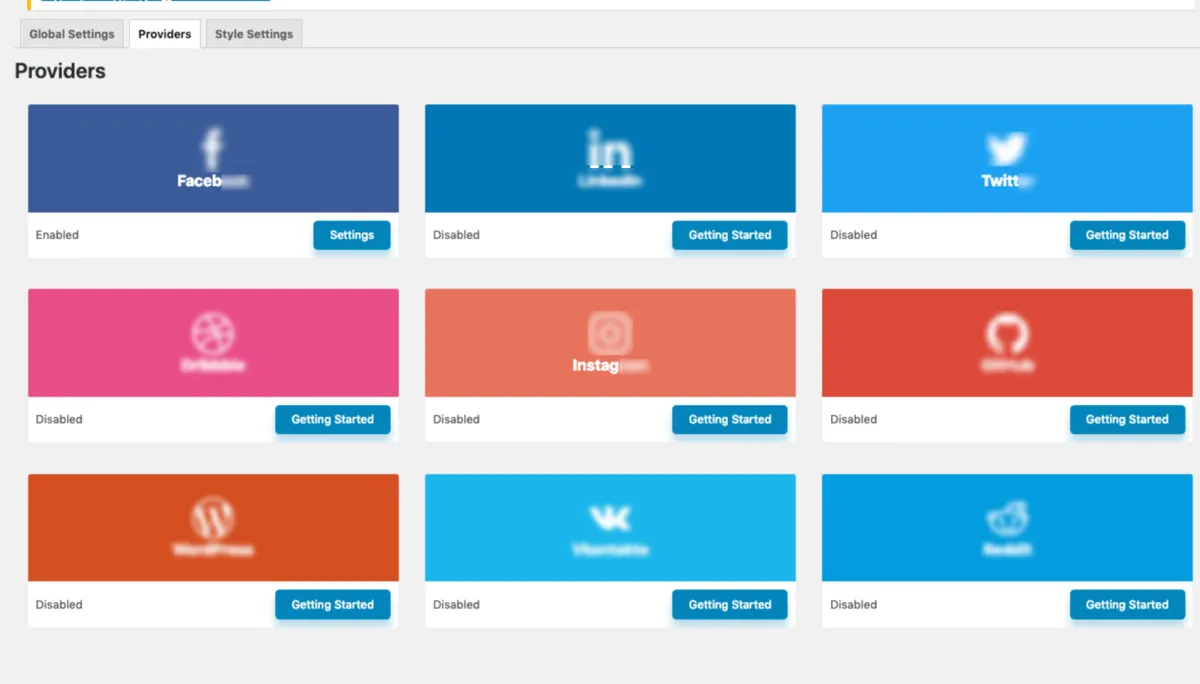
Best for: WordPress sites that want social login, social share buttons, and social counter features from one plugin instead of installing separate tools for each function.
WP Social is a WordPress plugin from the WPMet team. It combines three social features: social login, social sharing, and social counters. That makes it useful for sites that want to reduce plugin count while still covering several common social media needs.
The social login module supports popular providers such as Facebook, Google, Twitter/X, LinkedIn, GitHub, WordPress, and others. The sharing module adds share buttons for content distribution. The counter module can display follower or subscriber counts as a trust signal.
This plugin is not as specialized as a dedicated social login tool or a dedicated sharing plugin. Its value is convenience. If you need several basic social features and prefer to manage them from one place, WP Social is worth considering.
Reducing plugin count is one of the most effective ways to keep a WordPress site fast and stable. If plugin performance impact is a concern for your site, consolidating login, sharing, and counters into one tool is a sensible move.
Key features:
- Social login with multiple providers
- WooCommerce social login support
- BuddyPress social login support
- Social share buttons
- Social counter display
- Customizable button styles
- Shortcode and widget support
- Free and Pro versions available
Pricing: Free version available on WordPress.org. Pro plans are available from WPMet for more providers, styles, and advanced options.
Pros:
- Combines login, sharing, and social counters in one plugin
- Useful for WooCommerce and membership workflows
- Maintained by an established WordPress product team
- Good option when you want fewer plugins installed
- Flexible enough for business sites, communities, and stores
Cons / limitations:
- Broader scope means it is less specialized than single-purpose tools
- Some useful providers and layouts require Pro
- Social login still requires app/API setup for each provider
- Not built for auto-posting or social media scheduling
Verdict: WP Social is a good middle-ground option for WordPress sites that need several social features but do not want to install separate plugins for login, sharing, and counters. If your main need is only social login, Nextend is more focused. If your main need is automatic publishing to social networks, FS Poster is the better fit.
5. Nextend Social Login — Best Dedicated Social Login Plugin
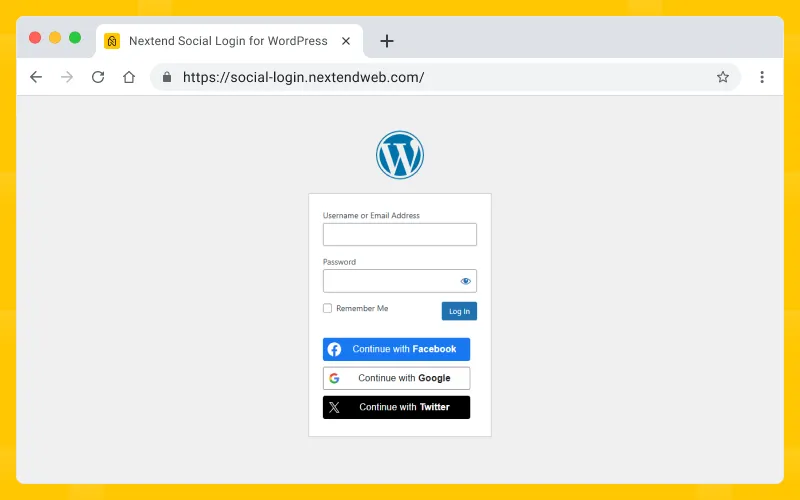
Best for: Membership sites, LMS platforms, community sites, and WooCommerce stores where reducing user registration friction is a clear priority.
If social login is a specific, important need for your site, Nextend Social Login handles it better than most all-in-one alternatives. It is a focused plugin: no sharing, no feeds, no notifications. Just social login, done carefully.
Nextend supports Google, Facebook, Apple, Twitter/X, LinkedIn, GitHub, Amazon, and additional providers via extensions. It integrates cleanly with WooCommerce, BuddyPress, and most popular membership plugins including MemberPress, Ultimate Member, and WooCommerce Memberships.
With over 900,000 active installs on WordPress.org, Nextend Social Login is the most widely deployed standalone social login plugin in the WordPress ecosystem. For community sites running BuddyPress or any membership-driven WordPress install, social login removes one of the biggest friction points in the registration flow.
Key features:
- Social login for 10+ providers
- WooCommerce integration: social login at checkout
- BuddyPress and Ultimate Member integration
- User profile page: connect and disconnect social accounts
- Custom login button design
- Two-factor authentication support (Pro)
- GDPR-aware setup options for login flows
- Sync user avatar from social profile
Pricing: Free version on WordPress.org covers Google, Facebook, and Twitter/X login. Pro version adds Apple, LinkedIn, GitHub, Amazon, and additional providers. Verify current Pro pricing at nextendweb.com before purchase.
Pros:
- 900k+ active installs
- Focused scope means a more tested, more stable login flow than all-in-one alternatives
- Works well with WooCommerce, BuddyPress, and most major membership plugins
- Clear setup guides for each provider
Cons / limitations:
- Setting up each provider requires creating a developer app and entering API credentials
- Apple and LinkedIn login require the paid Pro upgrade
- No social sharing, auto-posting, or any other social feature: login only
Verdict: Nextend Social Login is the right choice for WordPress sites where user registration is a meaningful part of the experience. For many membership and store flows, reducing the number of registration steps can improve the user experience. Start with the free version and upgrade only if you need additional providers.
6. NotificationX — Best for Social Proof Notification Bars and Popups
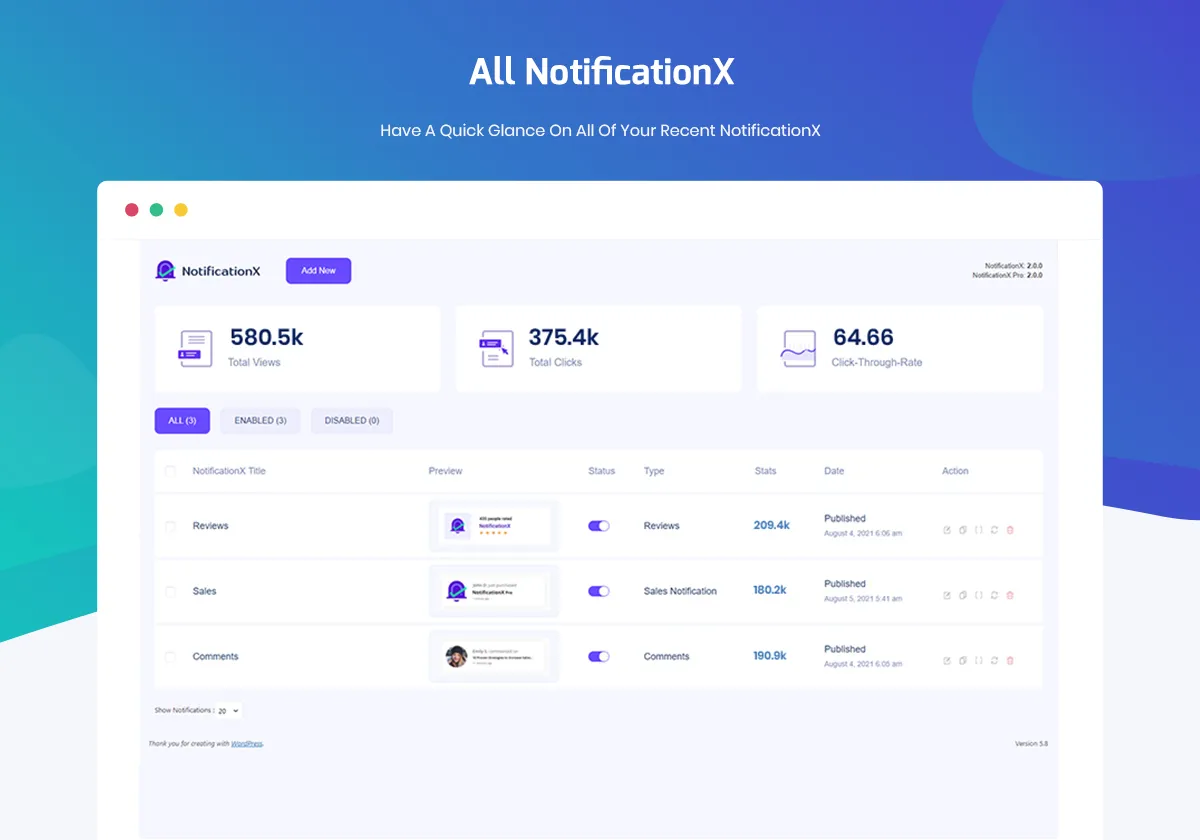
Best for: WordPress sites that want to build trust and engagement by displaying real-time social proof: recent sales, new sign-ups, 5-star reviews, and social subscriber counts.
NotificationX is a social proof plugin from WPDeveloper, the team behind Essential Addons for Elementor and BetterDocs. It displays small notification popups that show real activity on your site: a new customer order, a recent email subscriber, a Google review just posted, or your growing social media follower count.
These notifications signal to first-time visitors that others trust and use your site. That trust signal is especially effective on sales pages, landing pages, and course enrollment pages.
NotificationX connects to WooCommerce, Easy Digital Downloads, Mailchimp, AWeber, Trustpilot, Google Reviews, and more. It can also display static notification bars that highlight a promotion or milestone. Pair it with conversion rate optimization techniques to make the most of every visitor who lands on your site.
Key features:
- Real-time notification popups for recent purchases, sign-ups, and reviews
- Social follower count display
- Static notification bars for announcements, deals, and milestones
- Integrates with WooCommerce, EDD, Mailchimp, AWeber, Trustpilot, and Google Reviews
- Click analytics for impressions and click-through rates
- Timing and display controls
- GDPR-friendly settings
Pricing: Free version on WordPress.org covers basic notification types. Pro starts at $29/year for 1 site. Some integrations require the Pro plan.
Pros:
- Wide range of notification types in a single plugin
- Integrates with major e-commerce and email marketing platforms
- Built-in click analytics
- Maintained by an established WP plugin team
- Uses real activity and review data when connected properly
Cons / limitations:
- Overuse of notification popups can feel intrusive
- Trustpilot and Google Review integrations require a Pro license
- Social follower counts are a minor feature in a plugin primarily built for sales and email proof
- Displaying too many notification types at once creates visual noise on the page
Verdict: NotificationX is one of the more practical social proof tools available for WordPress. For WooCommerce stores and course platforms, the trust signals it adds are worth testing even on the free tier. Start minimal: one or two active notifications usually work better than five running at once.
7. TrustPulse — Best FOMO and Real-Time Activity Plugin
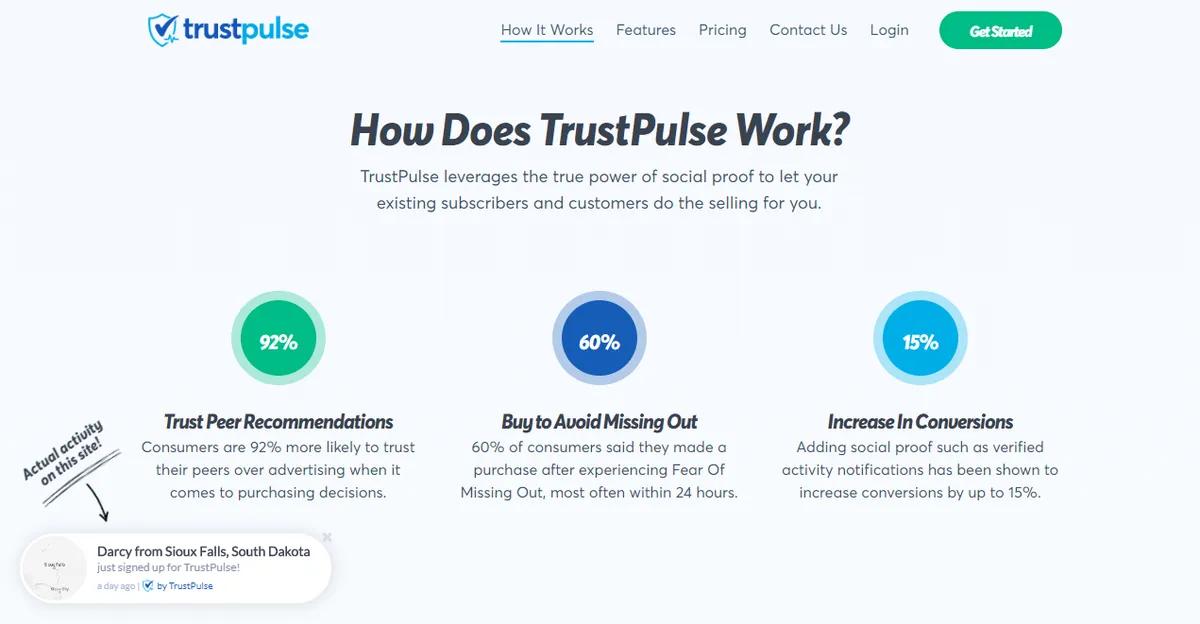
Best for: E-commerce stores, course platforms, and lead generation sites that want to increase conversions by showing live visitor activity at key decision points.
TrustPulse takes social proof a step further than notification bars. It tracks real activity on your site and surfaces that activity to current visitors: recent purchases, sign-ups, page views, or custom conversions. These live signals can reduce hesitation at checkout and registration pages.
Unlike static testimonials, TrustPulse notifications are pulled from real site events: form submissions, purchases, page views, and custom conversions via Zapier. The result is dynamic social proof that visitors recognize as genuine.
The WordPress plugin connects your site to the TrustPulse service. The notification campaigns and analytics live in the TrustPulse dashboard, which is external to WordPress. If you are already using customer video testimonials or review plugins on your product pages, TrustPulse layers real-time activity signals on top of that static proof.
Key features:
- Real-time activity notifications
- “On Fire” mode for high-activity content
- Smart targeting by page or visitor segment
- Conversion analytics dashboard
- Integrations with WooCommerce, WPForms, Gravity Forms, and Zapier
- Privacy-aware activity display options
Pricing: No free plan. Basic starts at $5/month for 2,500 unique sessions per month. Plans scale by session volume.
Pros:
- Real, live activity data: not fabricated or demo content
- Smart targeting shows the right proof at the right moment in the funnel
- Analytics dashboard measures views, clicks, and conversions
- Trusted team with established support infrastructure
- Works across WooCommerce, lead gen, SaaS sign-up, and course sales use cases
Cons / limitations:
- No free plan
- Session-based pricing means costs rise with traffic volume
- External SaaS dependency
- Most valuable for transactional or conversion-focused pages, not pure content blogs
Verdict: TrustPulse is the most conversion-focused tool on this list. For a WooCommerce store or course enrollment page, even a small conversion lift can cover the cost. For a content blog without a sales or sign-up goal, NotificationX’s free tier is a more proportionate option.
8. Tagembed — Best Social Media Wall Aggregator
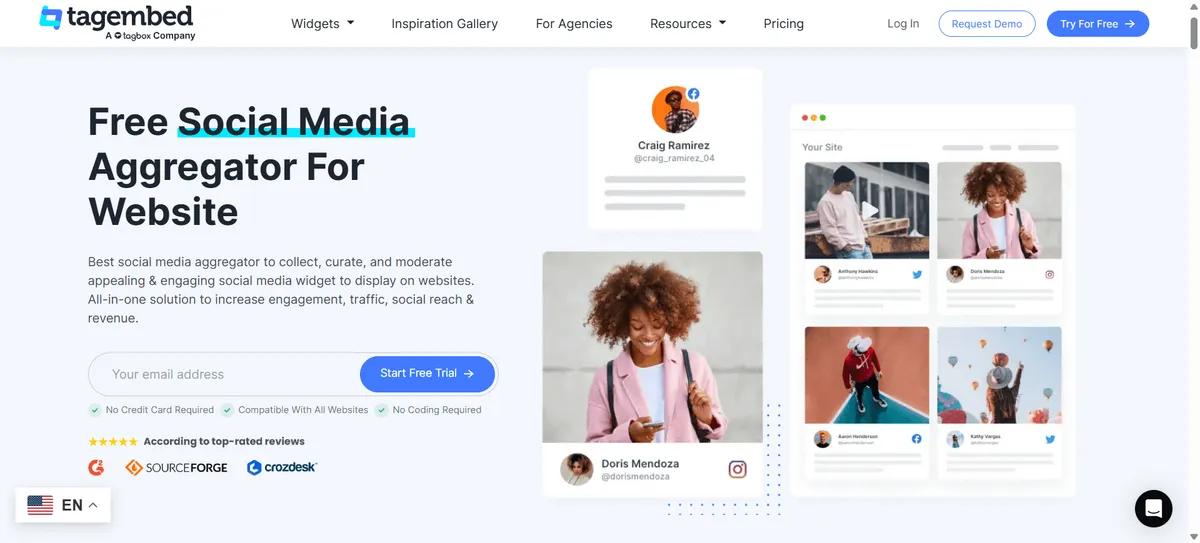
Best for: Brand sites, event pages, agency portfolios, and hospitality businesses that want a live social media wall pulling content from multiple networks into a single embedded display.
Tagembed is a social media aggregation platform with a WordPress plugin for embedding. You connect your social accounts or hashtag feeds on the Tagembed dashboard, customize the layout and design, and embed the resulting wall on any WordPress page or sidebar via shortcode or widget block.
The wall can pull content from Instagram, Twitter/X, Facebook, LinkedIn, YouTube, TikTok, Pinterest, Google Reviews, Yelp, and more in a unified display. For a brand that is active across multiple social platforms, this replaces the need to install a separate feed plugin for each network.
Tagembed also includes content moderation. You can approve or block specific posts before they appear on your site, which matters for hashtag-based feeds where user-generated content can be unpredictable.
Key features:
- Aggregates content from 20+ social networks and platforms
- Layouts: grid, carousel, slider, masonry, list
- Content moderation panel
- Custom CSS and color theme controls
- Auto-refresh for near-real-time content updates
- Google Reviews and Yelp integration
- WordPress plugin for shortcode and widget block embedding
- Analytics for embedded wall content
Pricing: Free plan available with limitations. Paid plans start at $19/month. Annual billing is available.
Pros:
- Multi-network aggregation in a single widget
- Content moderation prevents problematic UGC from going live automatically
- Modern layouts suitable for brand and event pages
- Quick embed process through the WordPress plugin
Cons / limitations:
- SaaS dependency
- Free plan is limited enough that most business use cases require a paid tier
- Real-time feed refresh depends on Tagembed’s API integrations
- Pricing can rise for larger multi-site or multi-brand use cases
Verdict: Tagembed is a clean multi-network social wall solution for WordPress sites that are active across several platforms. It is a practical alternative to running separate feed plugins for Instagram, Facebook, and LinkedIn at the same time. Use the free plan to test the layout and performance on your site before committing.
9. BuddyPress — Best for Building a Social Community on WordPress
Best for: Membership sites, e-learning platforms, non-profit organizations, and niche communities that want to turn their WordPress site into an owned social network.
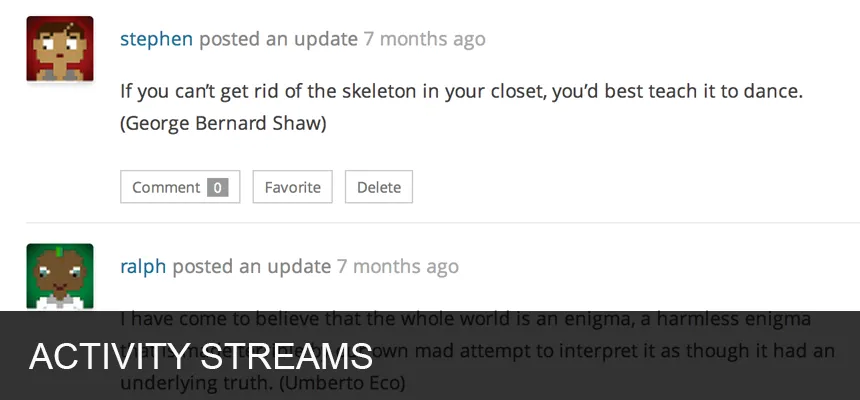
BuddyPress is a free, open-source WordPress plugin that adds social network functionality directly to your site. Members get activity streams, user profiles, friend connections, private messaging, group creation, and notification systems. It does not connect to external social platforms. Instead, it builds social infrastructure within your own site.
For WordPress site owners who want to grow an engaged, loyal audience that is not dependent on algorithm changes at Facebook or Instagram, BuddyPress offers a credible alternative. Owning your community is a meaningful long-term advantage over building it on rented platforms.
BuddyPress is actively maintained by the WordPress community and has an extensive ecosystem of compatible themes, plugins, and extensions. If you are also looking at community engagement plugins to extend what BuddyPress offers, the ecosystem around it is one of the largest in the WordPress space.
Key features:
- Member activity streams
- Customizable member profiles with avatars and cover photos
- Friend and follow connections between members
- Private messaging between members
- Groups with activity feeds and discussion forums
- Site-wide notifications for member interactions
- WordPress Multisite compatibility
- REST API for headless or app-connected implementations
- Large ecosystem of add-ons
Pricing: BuddyPress is 100% free and open-source on WordPress.org. BuddyBoss, a commercial fork with a more polished UI and mobile app support, starts at $228/year.
Pros:
- Free and maintained by a stable community
- Turns any WordPress site into an owned social platform
- Compatible with WooCommerce Memberships, LearnDash, MemberPress, and other major plugins
- No per-member fees
- Reduces dependency on third-party social platforms for community engagement
Cons / limitations:
- Initial setup requires attention
- Default UI is plain and requires a BuddyPress-compatible theme for a polished appearance
- Not relevant for sites whose goal is posting to external social networks
- Heavy use of groups and messaging can add database load on shared hosting
Verdict: BuddyPress belongs on this list because owned communities are increasingly valuable in 2026. Platform algorithm changes, reach restrictions, and policy shifts make external social platforms unreliable as primary audience channels. BuddyPress gives site owners a way to build engagement directly, without renting space on someone else’s platform.
10. EmbedSocial — Best for UGC Galleries and Review Walls

Best for: Local businesses, e-commerce stores, hospitality providers, and service businesses that want to display real customer reviews from Google, Facebook, TripAdvisor, and Yelp alongside Instagram and social media UGC on their WordPress site.
EmbedSocial is a social proof and user-generated content platform with a WordPress embed plugin. It aggregates reviews and social media content from Google Business Profile, Facebook Recommendations, TripAdvisor, Yelp, Instagram, Twitter/X, and YouTube into customizable widgets.
The review aggregation capability is particularly useful. Instead of manually adding testimonials, EmbedSocial pulls live reviews from the platforms where your customers are already leaving them and displays them in a widget on your site. For restaurants, hotels, clinics, salons, and online stores, a live Google review wall with real star ratings is a more credible trust signal than curated static testimonials. If you already collect reviews through a WooCommerce review plugin, EmbedSocial can aggregate those alongside reviews from Google and other third-party platforms.
Key features:
- Google Reviews, Facebook Recommendations, TripAdvisor, and Yelp aggregation
- Instagram UGC galleries
- Twitter/X and YouTube embed support
- Multiple widget layouts: grid, carousel, list, masonry
- Auto-updates for new reviews
- Review request sending from the EmbedSocial dashboard
- Content filtering and moderation controls
- Consent management options for privacy-conscious sites
- WordPress shortcode and block editor widget
Pricing: No free plan. EmbedSocial offers a free trial. Paid plans start at $29/month. Higher tiers cover multiple sources and business accounts.
Pros:
- Strong review aggregation across Google, Facebook, TripAdvisor, and Yelp in one widget
- Auto-updating: new reviews appear without manual work
- UGC Instagram galleries add authentic visual social proof to product and landing pages
- Review request feature helps grow review volume
- Widget designs are modern and configurable without custom CSS
Cons / limitations:
- Paid-only after the trial
- SaaS platform: requires an EmbedSocial account and subscription
- Per-source pricing can escalate costs for businesses with multiple locations or review platforms
- If you only need Google Reviews and nothing else, simpler or cheaper tools exist for that single use case
Verdict: EmbedSocial is best evaluated as a conversion tool, not just a social plugin. For a restaurant or hotel, a live widget showing real Google reviews can do meaningful work on a homepage or booking page. For a content blog with no reviews or UGC, it is overkill. The free trial is worth running on a key landing page before committing.
Frequently Asked Questions
What is the best social media plugin for WordPress in 2026?
The answer depends on what you need. For auto-posting WordPress content to social networks, FS Poster is the top pick for 2026. For social sharing buttons, Simple Social Buttons is a practical lightweight option, while WP Social is stronger if you also need login and counters. For review walls and UGC, EmbedSocial leads. For community building, BuddyPress is the category standard. There is no single “best” because each category solves a different problem.
Do I need multiple social media plugins on my WordPress site?
Most sites need two or three: typically one auto-posting plugin and one sharing plugin, sometimes paired with a social login or social proof tool. Avoid installing plugins for features you do not actively use. Every inactive plugin adds maintenance overhead and potential security exposure. Keeping your plugin stack lean is one of the simplest ways to secure your WordPress website and maintain fast load times.
Which WordPress social media plugins are free?
Several plugins on this list have free versions or are completely free: WP to Buffer, Simple Social Buttons, WP Social, Nextend Social Login, NotificationX, BuddyPress, and Tagembed.
Can WordPress auto-post to Instagram?
Yes, with caveats. FS Poster supports direct auto-posting to Instagram for supported Instagram Business and Creator account workflows. Some posting types and automation options depend on Meta API rules and account configuration.
What is the difference between a social sharing plugin and an auto-posting plugin?
A social sharing plugin adds buttons to your content so your visitors can share it to their own social accounts. An auto-posting plugin, like FS Poster, publishes your WordPress content to your own social accounts automatically when you publish or update a post. They are complementary tools, not interchangeable.
What is social proof and why does it matter for WordPress sites?
Social proof is any visible signal that other people trust, buy from, or engage with your site. A recent purchase notification, a live Google Reviews widget, or a visible share count can all reduce first-time visitor hesitation. For conversion-focused pages, social proof is one of the highest-ROI elements you can test.
Is BuddyPress suitable for a small site?
BuddyPress is technically compatible with any WordPress site, but it is best suited for sites where community interaction is a core feature: membership platforms, e-learning sites, non-profits, and niche communities. For a standard blog or business site, the setup overhead can outweigh the benefit. If you want your visitors to engage with each other regularly, BuddyPress is worth considering.
Conclusion
Social media is not one problem. It is a cluster of related but distinct needs: distributing content, collecting social proof, enabling social login, aggregating feeds, and building community. The right plugin depends entirely on which of those needs is most important for your site.
FS Poster is the clear starting point for any WordPress publisher or WooCommerce store that wants to automate distribution to social networks. With 8+ years in the market, 25,000+ paid customers, and native support for 26 networks, including Instagram, Facebook, LinkedIn, X/Twitter, Pinterest, TikTok, Threads, Bluesky, Reddit, Telegram, YouTube Shorts, and YouTube Community, it is the most complete WordPress-native auto-posting solution in its category. Beyond that, the right additions depend on your site’s purpose: a business with reviews should look at EmbedSocial, a community site gains from BuddyPress and Nextend Social Login, and a content blog can use a lightweight sharing plugin like Simple Social Buttons or a broader tool like WP Social.
Pick the category first, then pick the plugin within that category. Install what you will actually use. And start with free tiers or trials before committing to paid plans.